 DOCS/VIEWALYZER/SYMBOLS
VIEWALYZER · GPUI EDITION
DOCS/VIEWALYZER/SYMBOLS
VIEWALYZER · GPUI EDITION
Symbols
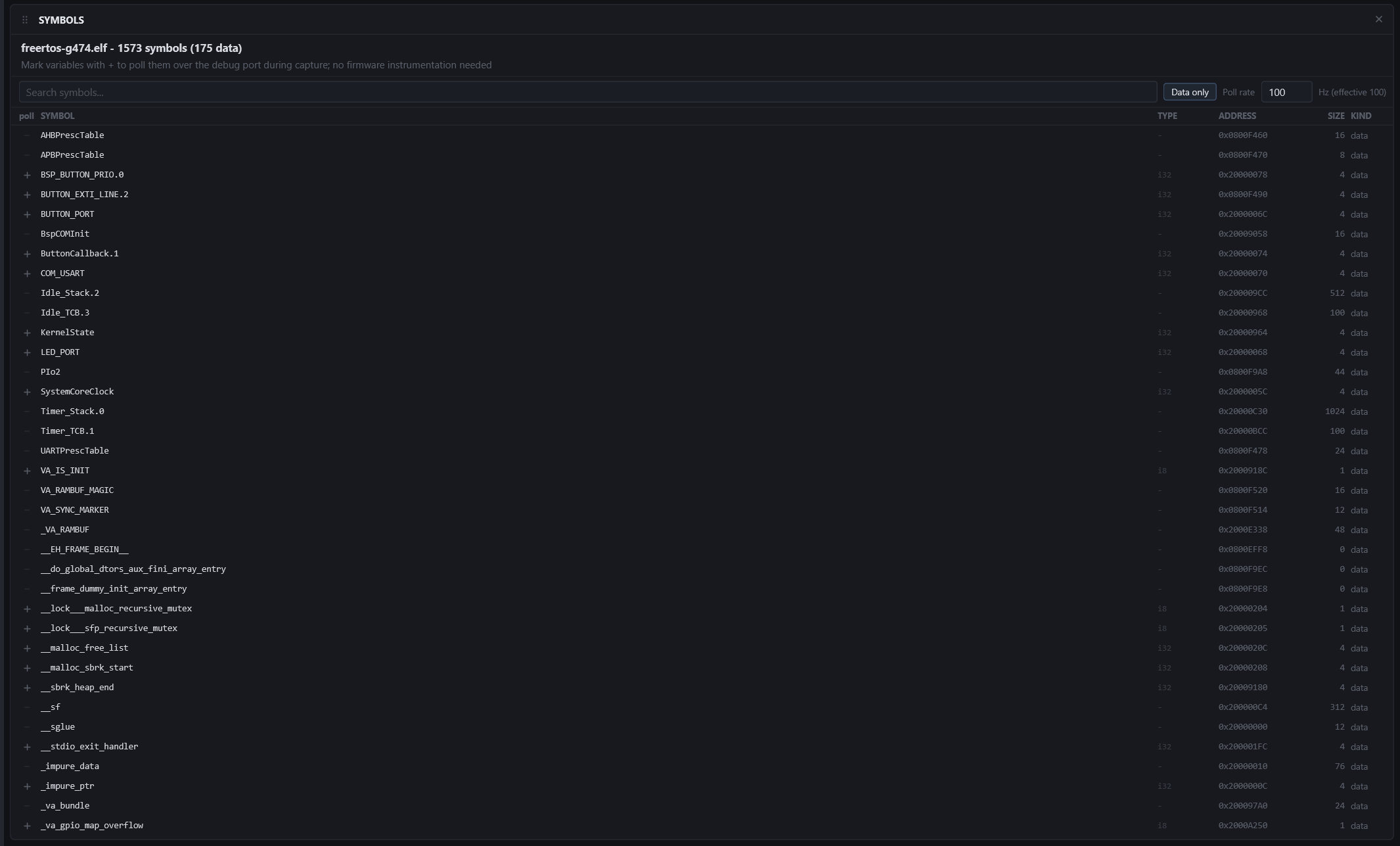
Browse the firmware's symbol table and mark variables for polling: while a capture runs over the debug probe, the app reads those addresses at a fixed rate and streams the values into the Trace panel as ordinary channels. Nothing changes in the firmware.
Needs: the ELF File (ELF / Symbols). Polling needs a capture over ST-LINK or J-Link with the RAM Buffer or RTT source.
Browsing
Type in the search box to filter by name. The Data only pill keeps variables and drops functions. Rows show the symbol, its address and size.
Polling a variable
Click the + chip on a row. The symbol moves to the top of the list with its poll type; click the type to change how the bytes are read (signed or unsigned integer of the symbol's size, float, and so on). The rate box sets the sampling rate for the whole set; the effective rate is bounded by the probe round trip (around 190 Hz over ST-LINK).
The poll set is remembered per ELF, so one project's variables never follow you into another project. It is resolved against the ELF when a capture starts; a symbol missing from the flashed build is reported in the log and skipped, and the capture proceeds. Marking or unmarking a symbol while a capture is running takes effect at the next poll cycle, without restarting.
Where the values go
Polled channels appear in the Trace panel under the symbol's name, chart with every other trace, persist into the recording, and are inputs to Trace Tune like any channel: a derivative of a tick counter is a rate meter, a low-pass of a sensor reading is a trend.
Tips
- Reads are width-matched (one 32-bit read for a 32-bit variable), so a value that the firmware writes atomically is read atomically too.
- Only whole symbols can be polled: to watch one member of a struct, give it a symbol of its own in the firmware (a global copy is enough).